Skip to content
macOS and Android utility

RivalPair

A connected Mac and Android workspace for USB and wireless file transfers, shared clipboard, screen mirroring, photo backup and device controls.

Visit the live site (opens in a new tab)

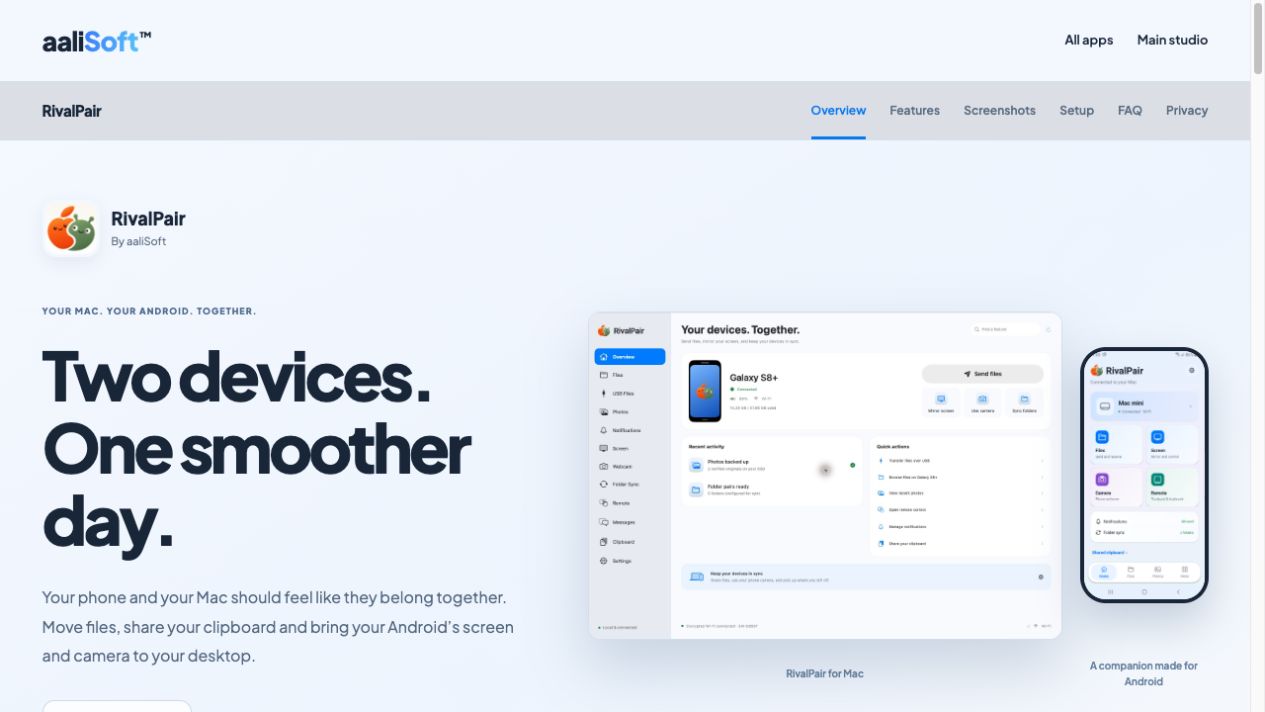
RivalPair product website showing the Mac dashboard and Android companion app side by side
The brief

What was needed

People using Android alongside a Mac need a practical way to move files and access selected phone features from their desktop. The product needed a simple USB-only path and a broader paired experience, with clear controls over what gets shared.

Our role

What aaliSoft delivered

aaliSoft developed the Mac and Android companion applications and the RivalPair product website. The scope covers USB MTP and local-network file transfers, QR pairing, clipboard and notification sharing, screen mirroring, camera and microphone streaming, photo backup, folder sync and remote controls.

Challenges and approach

Two connection paths, one understandable product

USB MTP file access works with compatible phones without installing the companion app. The paired Wi-Fi experience adds device features. Setup guidance explains these paths separately so users can start with only what they need.

Permissions matched to each feature

Notifications, messages, screen sharing, camera, microphone and input control need different permissions. Separate controls let users enable a feature deliberately and stop sharing from their devices.

Handling transfers and conflicting files

Folder transfers need visible progress, cancellation and retry behaviour. Duplicate-name handling and preserved sync conflicts help users understand what happens to existing files.

What it does

USB and wireless transfers

Browse compatible Android storage over USB MTP or transfer files and folders over the local network, with progress, cancellation, retries and duplicate-name handling.

Clipboard and notifications

Share clipboard text and view phone notifications on Mac, with optional automatic sharing, app filters and supported notification actions.

Screen, camera and audio

Mirror the Android display and stream the phone camera and microphone. Screen control requires separate permission; use in other Mac apps depends on compatible virtual-camera and audio drivers.

Photo backup and folder sync

Browse media, back up originals and synchronise selected folders. Conflicting versions are preserved, while deletion mirroring remains an explicit choice.

Remote controls

Use Android trackpad, keyboard and presentation controls during an active remote session, with the required Mac input permission.

Clear setup and permissions

QR pairing, connection status, optional feature permissions and platform-specific guidance help users choose what their devices share.
Outcome

The delivered result

The delivered applications connect file handling and selected phone features across Mac and Android. The product website presents actual application screens, setup steps, permission choices and compatibility limits, including the need for a shared local network and supported devices.

Technology and platforms

  • macOS
  • Android
  • USB MTP
  • Local-network connectivity
  • QR pairing
  • Screen capture and media streaming

More work

All projects

Start a conversation

Bring us the problem. We will help shape the right product.

Tell us what you are building and where it currently stands. We reply within one business day, anywhere in the world.

Websites · SaaS · Mobile apps · Games

Discuss your project
(opens in a new tab)